Android app offering 500+ SMS and notification tones
Message Ringtone App: SMS Tone by Dooli App replaces default notification sounds with a large collection of message alerts for Android users. The app lets you preview and assign tones for SMS, chat apps, email, and alarms in seconds using simple in-app controls. It groups content into labeled categories, supplies weekly additions, and keeps downloaded tracks available offline. The design targets mobile users who want quick, high-definition notification customization without a heavy background footprint.
What change does the app make to your phone's notification soundscape?
The app supplies more than 500 high-definition message ringtones and SMS tones, giving users an alternative to system defaults. It focuses on audio clarity, noting HD quality that stays clear even on budget speakers. The library spans light alerts and longer clips, so the practical effect is replacing generic tones with a varied set of crisp, ready-to-use sounds.
How much control do you get over where a tone applies?
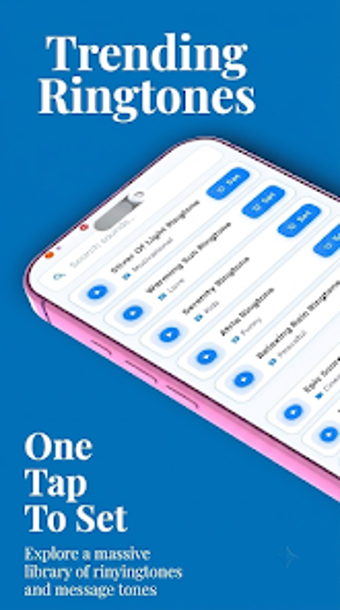
The app exposes targeted assignment: a single tap sets a sound as a Message Tone, Notification, Alarm, or contact ringtone. It includes an immediate preview before applying changes, and the interface lists supported targets, letting users choose alert type without leaving the app. This direct mapping reduces the need to open system sound settings for basic reassignments.
Does it keep working offline and how does it affect battery or storage?
The application stores downloaded tones for offline playback, so previously accessed alerts play without data or Wi‑Fi. It is described as lightweight and battery-friendly, which implies a small persistent footprint while running in the background. HD audio files are optimized for mobile playback, balancing fidelity with playability on less powerful devices.
Is browsing and discovering new tones straightforward?
The soundboard groups content into labeled categories such as Funny, Professional, Nature, and WhatsApp-style, and the developer adds new sounds weekly. Categories and previews make sampling quick, while weekly updates refresh the collection. The categorical layout helps users focus on particular styles when searching through the library of hundreds of tones.
The app suits Android users who want fast, varied notification customization
The app is a practical choice for users seeking a large, easy-to-navigate collection of message tones with offline access; its regular weekly additions keep the library current. A sensible tip: download preferred tones when connected to a stable network so they remain available offline. The app best fits people who prioritize quick assignment and clear audio from a compact background process.